Why we built it
We needed a faster way to build HTML emails for our own work. So we built an editor, used it internally, and then opened it up for anyone to use.
Built in 2023, before AI could write the HTML for you. Getting email HTML right across clients still takes more than generating it.
How it works
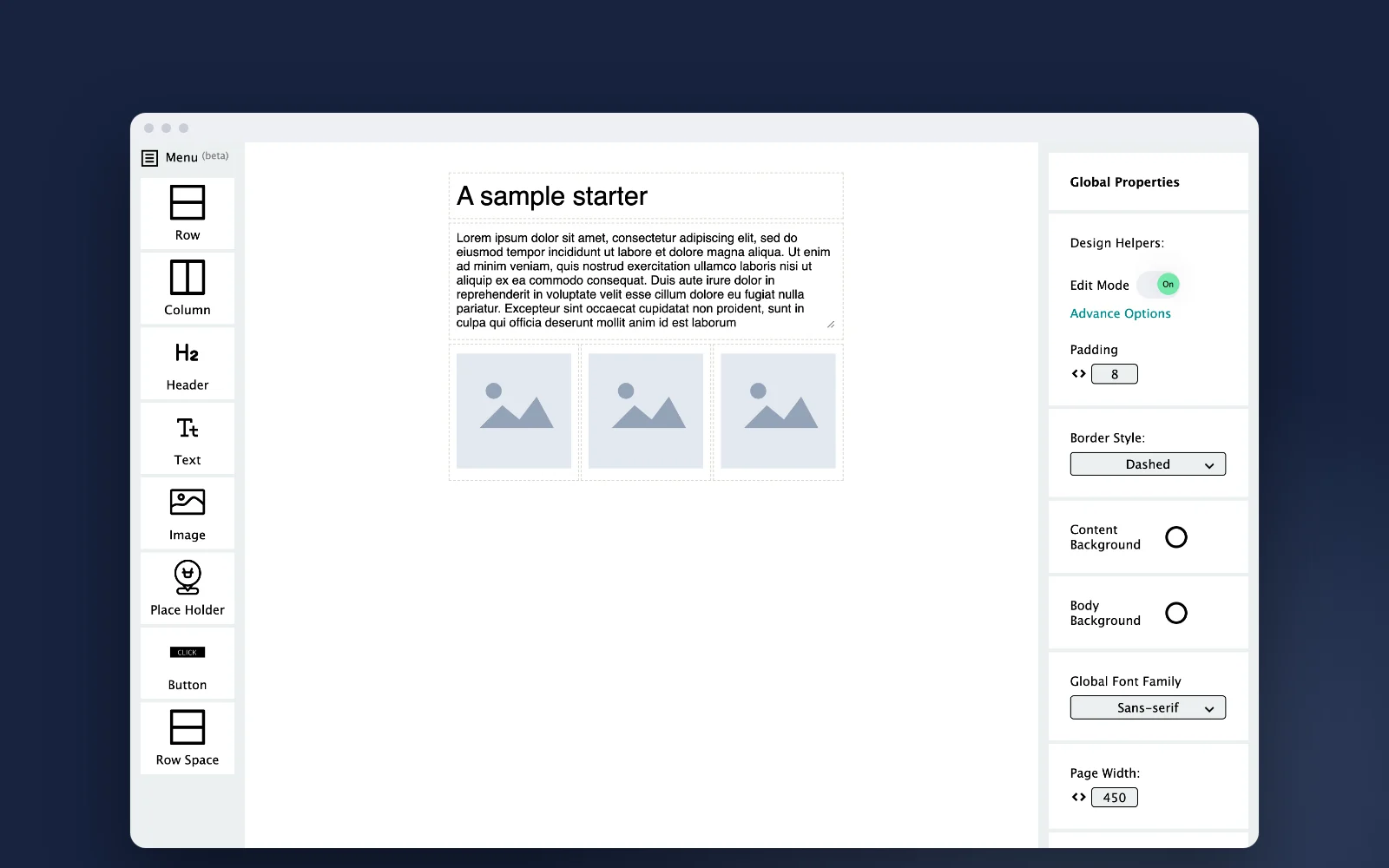
Emails are assembled from rows and columns, which can be nested to build more intricate layouts. Content such as headers, text, images and buttons goes into the cells.
A property panel adapts to whatever is selected: a row, a column or a piece of content. With nothing selected it shows the document’s global settings, such as default padding, page width and font.
Nested layouts
Rows and columns inside each other for complex structures.
Context-aware panel
Properties change with the selected element.
Edit mode
Visible cell boundaries and drag-to-reorder while designing, switched off for export.
Curated swatches
Colour rows with complementary combinations.
Duplicate by drag
Hold Option while dragging to copy a section.
Export
Email-friendly HTML to download or copy, ready for any email platform.
Private by design
There is no account and no server-side storage. Work is saved as a file on your own machine and opened again from there.
Your designs never leave your machine.